Apps / Trace
A big, clear GPS speedometer that records your trips.
Turn on Auto-Record and Trace saves your drives and rides in the background with no tap. Any trip faster than 9 mph (15 km/h) is saved.
What it does
Navigation- Auto-Record
Turn on Auto-Record and Trace saves your drives and rides in the background with no tap — any trip faster than 9 mph (15 km/h). There is no monthly limit on Auto-Record trips.
- Big speedometer
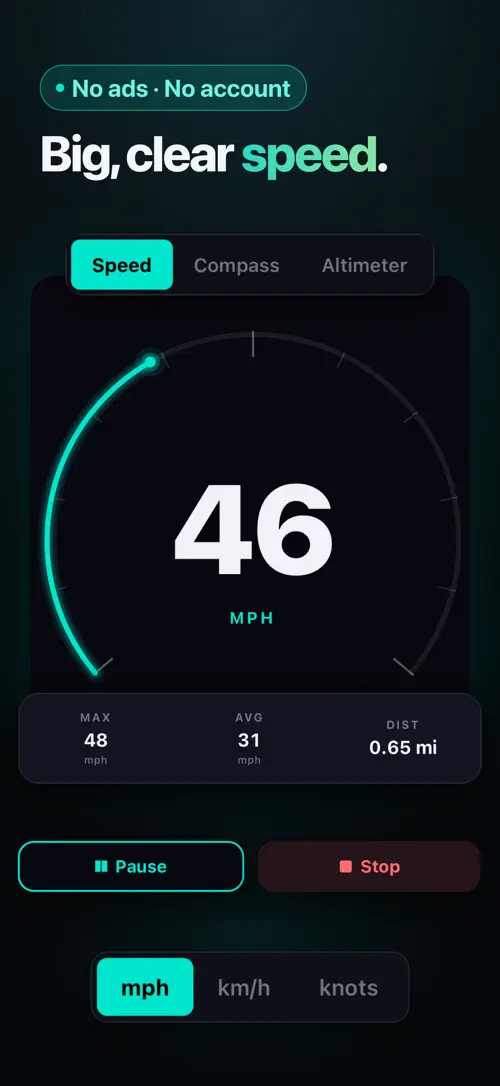
Big, easy-to-read speed in mph, km/h or knots, in Classic Gauge and Big Digital layouts.
- Live Activity and widgets
See your speed on the Lock Screen and in the Dynamic Island without unlocking, and pick the stats it shows. Home Screen and Lock Screen widgets include your latest trip on a map.
- Speed limit warning
Set your own speed limit and get a warning when you go over it.
- Trips saved on a map
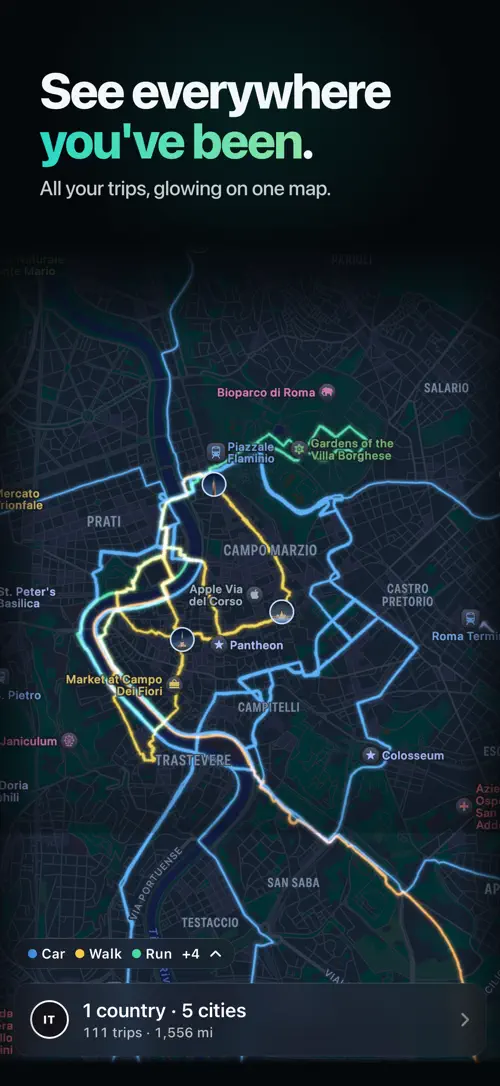
Trips are saved with their route on a map, and Trace keeps recording with the screen off.
- Share a trip as a picture
Share any trip as a picture, with your route on the real map: choose from five cards, then share it, copy it or save it to Photos.
Questions
Answers- Does Trace need an account?
- No account needed — your speed, routes, and history stay on your device, syncing only to your own iCloud if you turn it on.
- Where is my data kept?
- All trip data stays on your device (or your own iCloud). We never collect or sell your data — your trips stay on your device.
- Is Trace free?
- Free to start. Trace Pro is an optional subscription; prices are shown in the app.
- What does Trace Pro add?
- A personal heatmap, GPX and CSV export, iCloud sync of your trips and settings across your devices, full detail on all your trips however old, trip lines colored by speed, and six more speedometer layouts. It also adds Focus Mode, more stat tiles, more Live Activity styles, themes, speed fonts, trip line colors and app icons, resuming an interrupted trip, and up to five years of workout history.
- What can Trace record?
- Auto-Record saves drives and rides for you. You can also tap Record for any walk, run, bike ride, drive, motorcycle ride, hike, train or boat trip. It keeps recording with the screen off.
- How much of an old trip can I see?
- You get full trip detail for the first 24 hours: speed chart, splits, speed zones and an interactive map. The stats stay for 30 days; the route, distance and total time stay for good.
Plain-text version of this page: /trace.md